How to Connect Telegram to Hodhod and Reply from Your Support Inbox
Answer Telegram messages from the same inbox as your website chat: connect a Telegram account or bot to Hodhod step by step, and see how the two options differ.
In this article
Many customers would rather message you on Telegram than anywhere else. When those messages live on one person's phone, follow-up gets hard: nobody knows which messages were answered, and when that person is away, customers wait. Connecting Telegram to Hodhod brings Telegram chats into the same inbox as your website conversations, so the whole team can reply.
Hodhod offers two ways to connect Telegram. First, pick the one that fits.
Telegram account or Telegram bot?
| Aspect | Telegram account | Telegram bot |
|---|---|---|
| Customers message | Your company's regular account (e.g. @yourshop) | Your bot (e.g. @yourshop_bot) |
| Best for | Businesses whose customers already message their account | A fresh start, or keeping personal accounts out of it |
| Setup | Phone number and login code | Bot token from BotFather |
| Where to set it up | Settings → Telegram accounts | Settings → Inboxes → Add Inbox |
Option 1: connect a Telegram account
This connects your company's regular Telegram account (not a bot) to Hodhod. Private messages it receives arrive as conversations in their own inbox, and agents reply from that same account.
- In the panel, go to Settings → Telegram accounts and click "Connect a Telegram account" (admins only).
- Enter the account's phone number with the country code and click "Continue".
- Telegram sends a login code to that account's Telegram app. Enter it — the code is valid for ten minutes.
- If the account has a two-step verification password, enter that too.
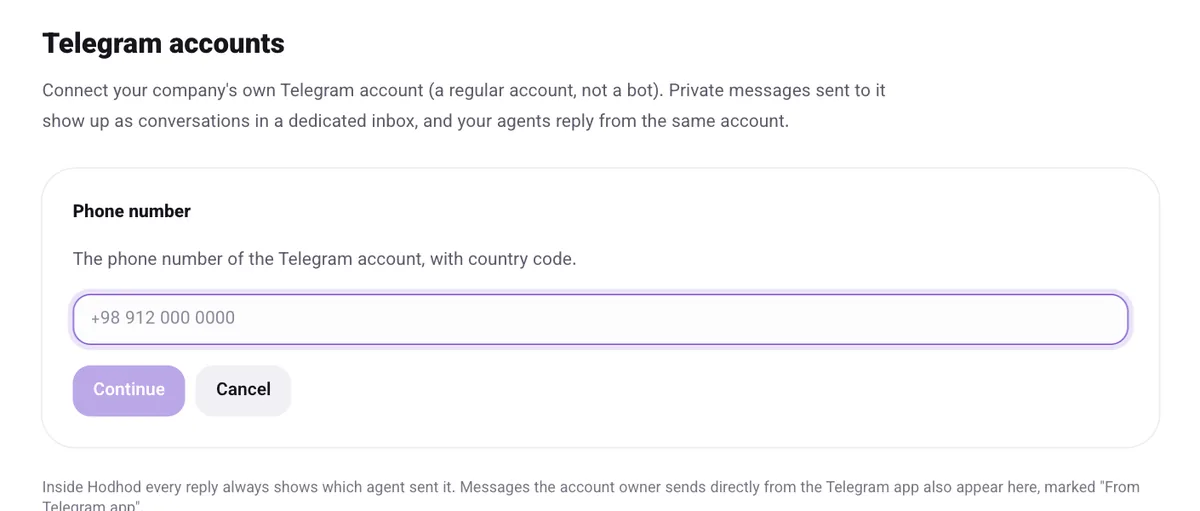
Once connected, a new inbox named "Telegram @username" is created. At first only the admin who connected it is a member, so add your other agents under Settings → Inboxes.
Useful options
- "Show agent's name in Telegram": when on, the agent's name is added under each reply so customers know who they're talking to.
- Messages sent from the phone: if the account owner replies straight from the Telegram app, that message is still recorded in Hodhod, labeled "From Telegram app" — so the history stays complete.
- "Disconnect": cut the connection whenever you like. The inbox and conversation history are kept.
Limits
- Only private messages come into Hodhod; groups, channels and bots are ignored.
- Photos, videos, audio and files work in both directions; incoming files larger than 20 MB aren't transferred.
- Telegram polls aren't supported.
Tip: use a dedicated business account for support, not a teammate's personal account — that way customers stay connected to your company when people move on.
Option 2: connect a Telegram bot
If you'd like customers to message a bot:
- In Telegram, message the official @BotFather, send
/newbotand follow the steps. At the end you'll get a token. - In the Hodhod panel, go to Settings → Inboxes → Add Inbox and choose "Telegram".
- Paste the token into the "Bot Token" field and click "Create Telegram Channel".
- Add the agents who should reply to the inbox.
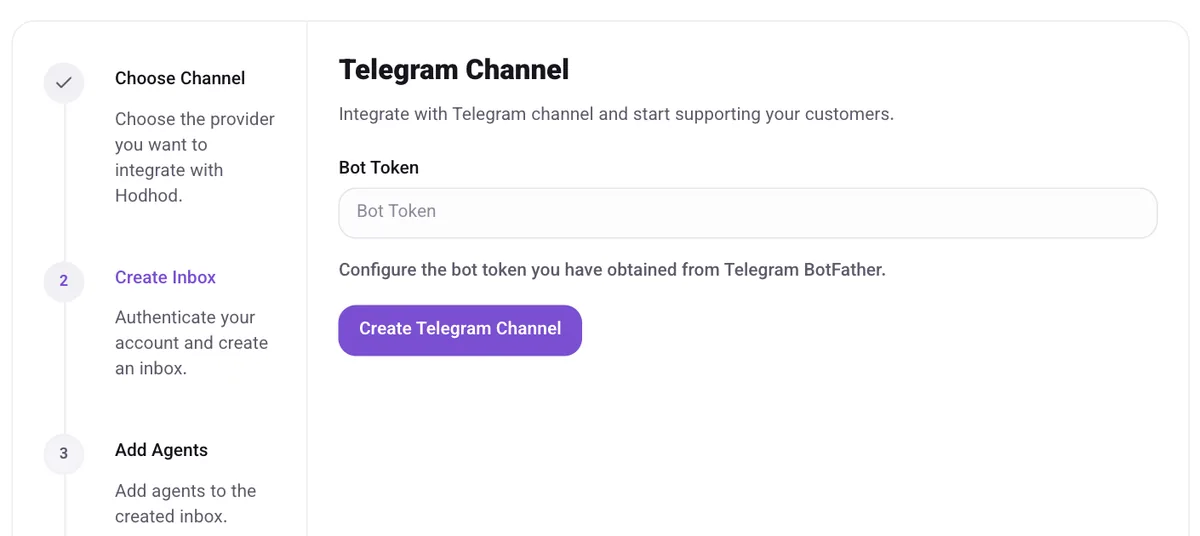
Treat the bot token like a password — don't share it.
After connecting
- Telegram chats show up under "Conversations" next to your website chats, and you can assign them, label them or turn them into tickets like any other conversation.
- Canned replies, automatic assignment and reports all work for Telegram conversations too.
Frequently asked questions
Does the phone need to stay on and online after connecting an account?
No. After you log in, the connection stays up on Hodhod's servers, and messages are received and sent without the phone being on.
Can several agents reply from one account at the same time?
Yes. Every agent added to the Telegram inbox replies from the same account. Inside Hodhod you can always see which agent sent each reply.
Will customers notice that messages come from Hodhod?
No. Customers receive messages from the same account or bot they wrote to. If you like, you can also show the agent's name under each message.